Edit the walls
Move corners, set exact lengths and join angled internal walls.
FREE FLOOR PLANNING NO SIGN-UP NEEDED
Work out what could fit before paying for design work. Draw your existing home, try room layouts or an extension, and see the result in 3D—for free.
Free to use. No account needed.
 Two-bedroom homeFictional sample project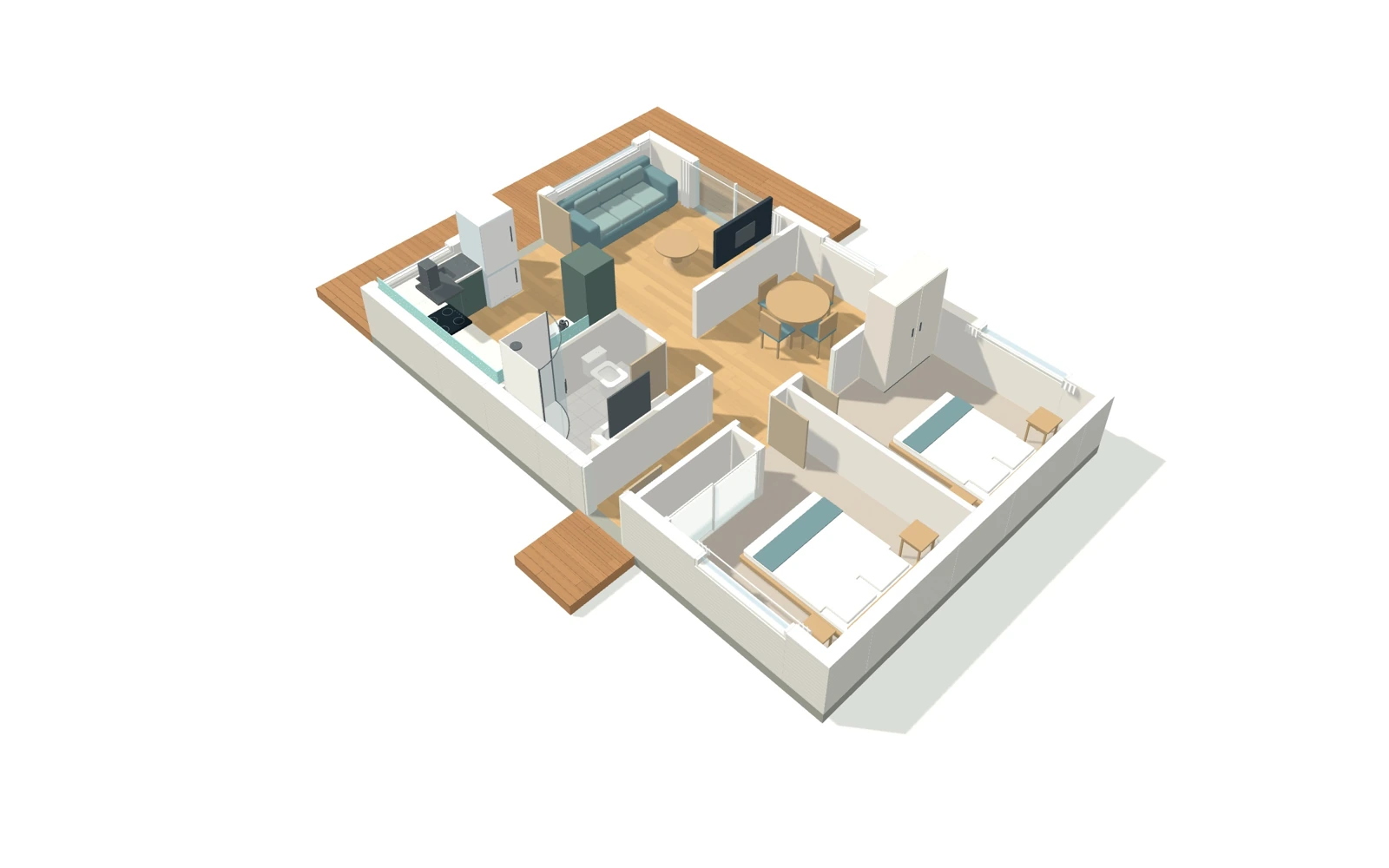
FLOOR PLANS & FURNITURE
Start with the house you have. Rearrange rooms, try an extension and check the dimensions. The 2D plan and 3D view use the same measurements.
Move corners, set exact lengths and join angled internal walls.
Place beds, benches, showers and appliances. Resize them to your own measurements.
Undo a change or save a separate project to compare another option.
PlanWot / Plan editor
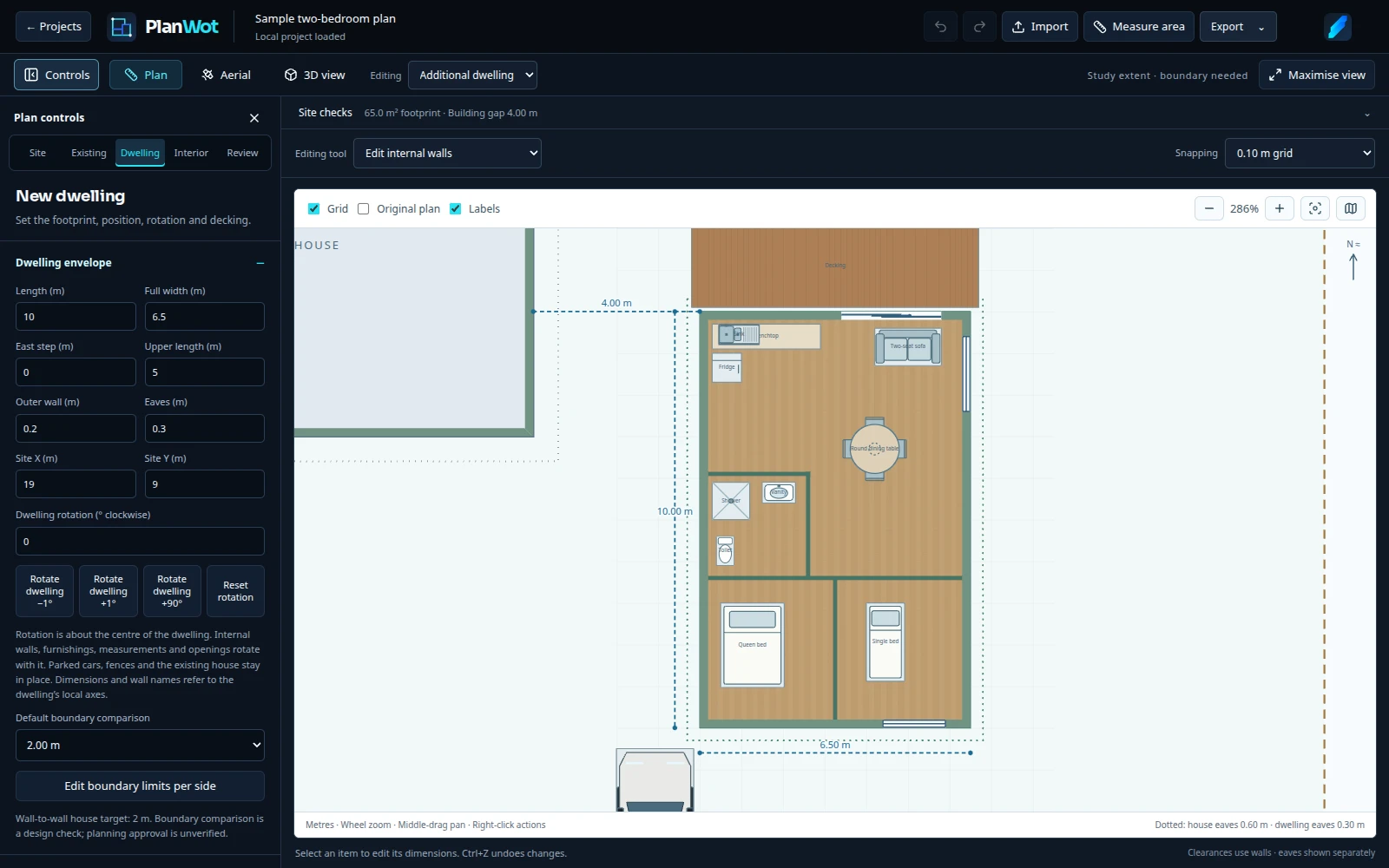
Use metres and millimetres. Zooming changes the view, never the dimensions.
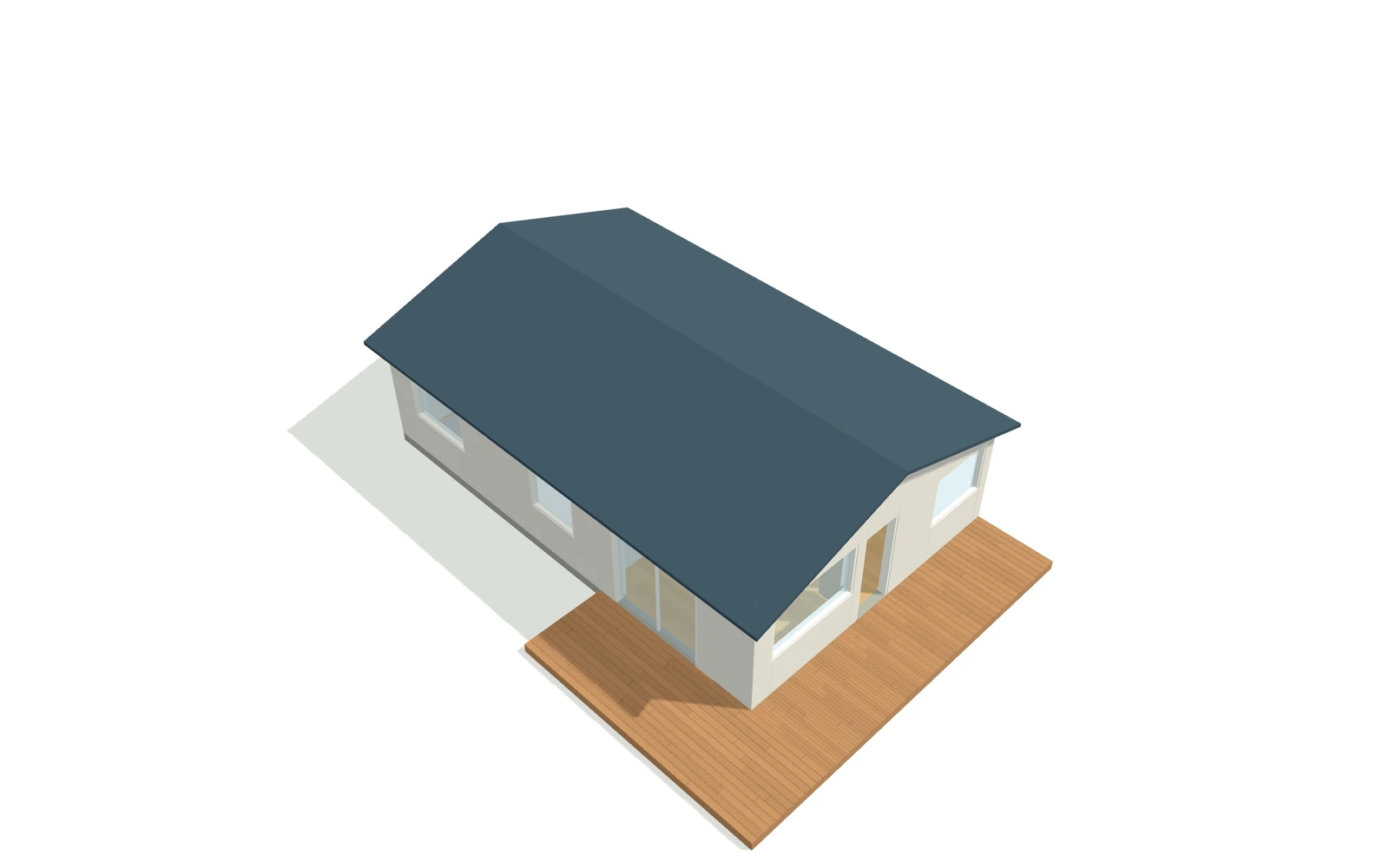
Use a cutaway to check rooms and furnishings, or show the roof for an exterior view.
Change cladding and flooring. Set the location and north alignment to explore light and shadows.
START WITH YOUR NZ ADDRESS
Look up your NZ address to load LINZ aerial imagery, house roof outlines and property boundaries. View your plan over the imagery, set the allowed setback for each boundary, and see warnings where your layout is too close. Try an extension, decking or an optional second dwelling against the space you actually have.
LINZ boundaries are approximate. Setback warnings compare your layout with the distances you enter.
TAKE A COPY WITH YOU
Once you have a layout that looks workable, give your designer or builder a clear starting point. Rooms, dimensions and the options you’ve tried are already worked through—saving time explaining your idea and helping you spend less on early design changes. Export the drawings and keep a JSON backup to carry on editing.
Concept drawings. Consent and construction documents still need a qualified designer.
FAQ
No account. No cloud project storage. Keep a JSON backup of plans you want to retain.
Address lookup sends your search and site coordinates through Cloudflare to LINZ. Your edited plan stays in the browser. Umami counts visits and selected feature use without receiving your plans or address. You can disable usage analytics in Settings.Yes. Planning, furnishings and the current import and export tools are free. There is no account to create.
In this browser, on this device. Export a JSON backup to keep a separate copy or move your plan to another computer. Clearing browser data or using private browsing can remove saved plans.
Yes. For a New Zealand address, PlanWot can load LINZ aerial imagery, roof outlines and property boundaries. Check the outline and edit it to match your house. You can also upload a background image, start with a simple footprint or import a PlanWot project.
Yes. Choose Start manually to get an editable rectangular home with a hip roof, two windows, a sliding door, a front door and two internal walls. No map or LINZ data is requested. You can add your own background image and property boundaries. Dimensions are in metres.
Yes. Load your property boundary from LINZ, then set the setback distance for each side. PlanWot highlights where the layout is too close to those limits. The warnings use the distances you enter; they do not confirm compliance with all planning or building rules.
Yes. Export a PDF drawing set, DXF linework or a GLB 3D model to explain the layout. These are concept drawings. A qualified designer still needs to check the measurements and prepare any consent or construction documents.
Yes, though a laptop or desktop with a mouse is easier for drawing and making small adjustments. The 3D view needs a browser with WebGL support.
FREE TO USE · NO SIGN-UP
Find out what could fit before spending money. Start with your address or try the sample.